Key Takeaways
- Deposits can now be held as a liability until the work is delivered.
- A new Revenue dashboard flags over- and underbilled projects.
- Requests for payment and delivery invoices export to QuickBooks Online, QuickBooks Desktop and Xero.
- Time off and scheduled blocks are now recorded once and shared across every scheduling screen.
- A new Labs program offers early access to features still being refined.
“Integrators usually get paid a deposit long before the equipment goes in, but the question is how that money gets booked. Recording it as revenue at invoicing overstates income that hasn’t been earned yet and throws off the reporting periods that follow.
D-Tools wants to handle that in the software. D-Tools Cloud Release #104, available to subscribers starting today, adds optional revenue recognition to project billing. With it turned on, deposits sit as a liability until the work is delivered, and only then move into revenue.
“Most integrators collect a deposit before the first device is installed, and that money isn’t revenue until the work is delivered,” says D-Tools CEO G Paul Hess.
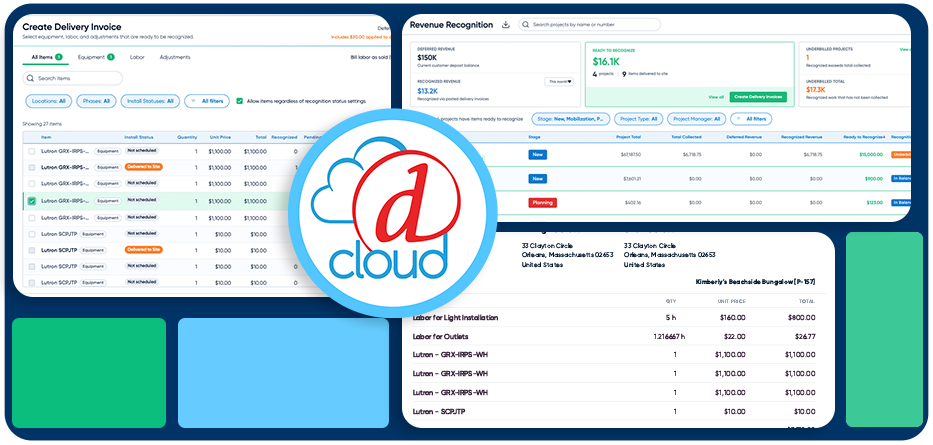
Here’s how it works. Each company picks the delivery status that triggers recognition. When project items reach that status, D-Tools Cloud flags them as ready to recognize. Posting a delivery invoice then moves the deposit into revenue. Every project shows how much is still deferred and how much has been recognized.
A new Revenue dashboard shows deferred and recognized revenue across all open projects and flags jobs that are over- or underbilled. It can also turn eligible items into delivery invoices in bulk.
The feature is optional, and D-Tools says it can be turned off and back on without losing invoices, history or accounting connections.
Getting It Into the Books
Requests for payment and delivery invoices export to QuickBooks Online, QuickBooks Desktop and Xero, with deposits mapped to whichever liability accounts the company chooses. Xero users can reuse tax mappings. QuickBooks Online has a dedicated settings tab that controls when each invoice type exports, with separate class and tax defaults for each. When a mapping is missing, D-Tools Cloud now shows what needs fixing.
Purchase order and invoice numbers from D-Tools Cloud can now carry into QuickBooks Online. QuickBooks Online invoice numbers also appear in D-Tools Cloud invoice exports, so records match in both systems.
There are changes to proposals too. Integrators can send budgetary and planning proposals without an Accept and Sign option, so a client can review pricing without being able to authorize work. They can also capture the client’s PO number when a proposal is accepted, set company signing defaults for proposals and assign a default payment schedule to each account.
More Consistent Scheduling
On the operations side, D-Tools changed how the calendar tracks a person’s time. Time off or a scheduled block is now recorded once at its full length, and every scheduling screen reads from that same record. A half day off blocks half a day everywhere. Task assignments now include an availability check, and administrators can record PTO and sick time on the global calendar.
Meeting invitations now go to required attendees with optional attendees copied. They include a calendar file for Outlook, Google or Apple calendars. Rescheduling updates the existing entry instead of adding a duplicate, and recurring meetings arrive as a single series.
Release #104 also launches Labs, an early-access program for features that aren’t widely available yet. Administrators can turn on previews in Settings for the whole company or for selected users, and most previews can be switched off at any time. The release also adds a desktop print agent that prints QR labels to Brother thermal printers.