Recent News

Microsoft Demos SideShow for Media Center Remote
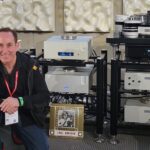
SideShow gadgets on a remote displayed at EHX's Media Center Boot Camp.
SideShow Interface

03.30.2006 — Many of us have seen Microsoft's SideShow -- usually in the form of an LCD panel on the outside of a notebook computer. It's an auxiliary display that grants access to certain applications -- Outlook is the one that's always demonstrated--without requiring the user to open the computer and wait eons for it to boot up, by which time you've already missed your appointment.

Well, SideShow isn't just for laptops anymore. During the Media Center Boot Camp at the Electronic House Expo here in Orlando, Fla., Todd Rutherford, Microsoft Program Manager for eHome Control, demonstrated the technology implemented in a handheld remote. Just because it is a product of Microsoft's mobility group doesn't mean the solution must be tethered to a laptop.

SideShow can be implemented on virtually any piece of hardware capable of connecting, whether by WiFi, Bluetooth, Zigbee, Z-Wave, Ethernet, you name it. These auxiliary devices grab "gadgets" from the PC. Gadgets are mini applications that are sent, in an encrypted format, to the remote hardware by the computer.

In the demonstration, Rutherford suggested that a gadget for an electronic programming guide (EPG) would be sent from a Media Center Edition computer to a handheld remote, allowing the user to scroll through the guide without disrupting a program. In fact, said Rutherford, Microsoft has gotten the OK from its EPG provider TMS (Tribune Media Services) to extend that guide to remote devices via SideShow.

Gadgets are little pieces of XML code written by the application providers themselves. From the computer, a user can select which gadgets to use, and where to send them -- Outlook to the laptop auxiliary display, for example, and TV Guide to the handheld remote.

The maker of the hardware "owns" the main user interface (UI), determining how the gadgets appear on the screen, but once the user drills down into the application, the experience is delivered by the application providers themselves.

Sounds a lot like PDAs and other remote devices that simply serve up Web pages. What's wrong with that method? For starters, it's too expensive (not to mention slow). Rutherford says that a universal remote with SideShow could be had for maybe $150-$200. To keep the cost low, SideShow is not meant to be a touchscreen application. Users navigate through menus via hard buttons. I can live with that.

Microsoft has had this solution for quite some time. They just had the application wrong. When Bill Gates introduced a similar technology, SPOT (Smart Personal Objects Technology), in 2002, he imagined we would all wear hockey-puck-sized watches on our wrists, pulling up stock quotes and other little bits of data. (What? He thinks we're all like Boot Camp presenter Derek Flickinger?!)

Well, Rutherford, whose job it is to dream up useful new applications for Media Center Edition, has the application for SideShow spot-on. The sold-out Media Center Boot Camp crowd of about 120 A/V integrators and IT VARs cheered the news.

Microsoft has a software developer's kit (SDK) for SideShow which can probably be implemented for about $10,000-$15,000, said Rutherford. That's nothing. Hopefully he'll find some takers at EHX.

By the way, SideShow is a Vista technology. It will be available when the new OS rolls out in January-ish.

Subscribe to the CE Pro Newsletter

Get the latest news, products and more delivered straight to your inbox.

Julie Jacobson, Editor-at-large, CE Pro
As a co-founder of EH Publishing in 1994, Julie has edited and contributed to all of the company's publications at one time or another. An authority on home automation, networking, integration, digital convergence and the CE pro channel, Julie speaks often about these subjects at industry events. She graduated with a B.A. in Economics from the University of Michigan, and received an MBA from the University of Texas at Austin. Julie is a washed-up Ultimate Frisbee player.
This entry has been viewed 10679 times.

tags
Subscribe to the CE Pro Newsletter
Subscribe to Email Alerts
Subscribe to the newsletter today! 

tagsThis Article Tagged

tagsNews Feeds

tagsSocial Bookmark
Submit to: , Digg, Delicious, Slashdot, Reddit, MyYahoo!, Google, Technorati, Learn about social bookmarking

Comments

Posted by David Murphey  on  02/16  at  07:35 PM

Doesn’t sound too impressive, much like Vista. I have used Vista but it feels more like a colourful version of XP. I can’t honestly see where the extra benefits are, or make use of its new wow features.

Page 1 of 1 comment pages
Post a comment

Name:

Email:

Choose smileys | View comment guidelines

Remember my personal information

Notify me of follow-up comments?

Please answer the question below:

Type the last letter of the word "cable":


Rate this article
You must be logged in to rate articles. Login or register.
  • Currently 0/5 Stars.
  • 1
  • 2
  • 3
  • 4
  • 5
Average score: 0 / Total votes: 0