Crestron has released the Crestron Extension Driver AI Skill, a package of Crestron-specific instructions that plugs into AI coding assistants so they can generate extension drivers for Crestron Home OS. The company announced the tool in a November 6 blog post by Michael Short, its VP of marketing.
The release targets a familiar problem for residential integrators: a client wants a device in the system, and Crestron has no native driver for it. Until now, the post notes, the choices have been to write the driver in-house, pay someone to write it, or leave the device out of the system. In the post, Crestron pitches the AI Skill as a fourth option, especially for dealers who have never written a driver.
How It Works
According to the blog post, the AI Skill does not write code by itself but rather gives a general-purpose AI coding assistant a playbook of Crestron templates, SDK conventions and best practices. The dealer describes the device in plain English, answers the assistant’s follow-up questions, and the assistant builds the driver project.
The output is an extension driver. As Crestron’s post explains, an extension in Crestron Home OS adds a custom user interface and device control to the Crestron Home app. Extensions are built on Crestron’s Entity Model v2 Device Driver SDK and can talk to devices over IP, serial or a cloud service.
In the blog post, Crestron says it has tested the AI Skill with two tools, GitHub Copilot and Claude Code, each running Anthropic’s Claude Sonnet 5 model, on Mac and Windows. The post adds that Crestron makes no claims about how the skill works with any other AI coding assistant.
According to Crestron’s blog post, the AI Skill handles the following:
- Starts a new extension driver project from a predefined template
- Builds the installer configuration flow for IP, serial or cloud-connected devices
- Defines the driver’s properties and commands with the Entity Model v2 SDK
- Writes the UiDefinition.xml file that sets what users see in the Crestron Home app: tiles, room pages and the 19 supported UI controls
- Adds translations, icons and colors
- Follows Crestron guidance on logging, error handling and resource use on control processors
- Checks the UI definition against Crestron’s XSD schema
According to Crestron, the AI Skill does not build drivers for device categories that already have dedicated support in Crestron’s driver SDK, such as lighting, displays, audio and shades. For those, Crestron points developers to its standard SDK documentation. The post says a separate skill for those categories is in development but has not given a timeline. Use of the tool is also governed by Crestron’s Artificial Intelligence Terms of Use, which list prohibited purposes.
Early Examples
Crestron’s blog post describes three extensions built with the AI Skill:
- Weather: shows current wind conditions and an hourly forecast for a location the user sets.
- Pentair pool system: connects over the local network. It began as a single salt-level gauge and grew to cover circuit toggles, heat control, light shows and a full water chemistry panel.
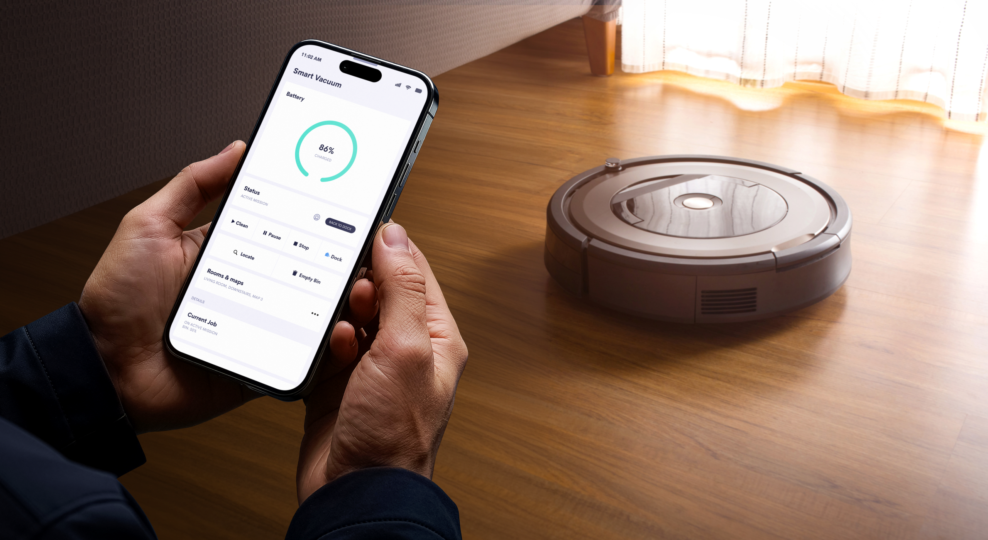
- iRobot Roomba: controls the robot vacuum through iRobot’s cloud. Its tile shows live status, such as “Cleaning · 64%,” and its commands can be used in scenes.
The post does not say who built these examples, how long each took, or whether any are in use in client homes.
The Integrator Still Owns the Result
Crestron’s blog post repeats one point throughout: the person using the AI Skill is responsible for what it produces. The post warns that generated code “may be incomplete, inaccurate, or unsuitable” for a given application. It says every driver must be reviewed, validated and tested before it goes into a client’s home.
In the post, Short frames the AI Skill as a narrow tool with a human in charge, not a replacement for driver developers. He says Crestron Service Providers (CSPs), who build and maintain much of the Crestron Home driver catalog, remain essential. Crestron writes that it built the AI Skill to help dealers who have never written a driver and to handle routine setup work for those who have.
According to the post’s FAQ, the AI Skill is licensed under Crestron’s Software Development Tools License Agreement and is also subject to its Artificial Intelligence Terms of Use. Using the tool counts as accepting both, including on behalf of any third party the user is working for.
Getting Started
Per the blog post, the build computer needs the .NET Framework SDK (to compile the driver project), the .NET 8 runtime (used by the build and packaging tools), and either GitHub Copilot or Claude Code. The post outlines this workflow:
- Install the AI Skill from Crestron’s skills marketplace on GitHub (github.com/Crestron/CrestronAISkills), using the standard install method for your AI tool.
- Describe the device. The assistant then asks for the device type (from Crestron’s list of supported extension types), manufacturer, model, transport (IP, serial or cloud), and the dealer’s company name, contact, email, website and phone. It prompts for anything that’s missing.
- Review and validate the generated code.
- Side-load the driver onto a Crestron Home OS processor using Crestron’s “Side-Load Crestron Drivers” instructions, and test it before deploying it to a client.
The post also promotes a Crestron webinar where an extension will be built live. More information is at crestron.com/developer. Questions about the AI Skill or the SDK can go to Crestron Support or a Crestron representative.