Video Processing: Improve Flat Panel Pictures
Outboard scalers benefit clients by reducing artifacts, and benefit dealers by providing a strong upsell category.
If your business model includes selling and installing flat panels, boosting your knowledge about outboard video processors can provide a much-needed upsell.
There are several types of de-interlacing and scaling technologies that can be applied to the flat panels you install.
You can opt for more expensive displays with built-in processing or choose to employ separate processors or scalers. Outboard scalers can often double as switchers, opening the door for you to sell multiroom video.
If you have not addressed the growing consumer awareness of video artifacts, here's your opportunity.
From the beginning, when Henry Kloss plugged the audio output of his 6-foot parabolic screen TV (Novabeam One) into his stereo system, people have wanted big screen and big sound.
Somewhere in the late eighties, we started calling it Home Theater.
Initially reserved for only the rich and famous, a "decent" Home Theater featured a box on the ceiling, housing three 9-inch CRTs and weighing in at just a tick this side of a Chrysler LeBaron.
The only thing harder than finding a consumer who could afford a home theater was finding someone qualified to install it.
If you have any gray hair, you may fondly recall the two-day install process and the 128-point convergence grid that you had to revisit every six months or so.
The old behemoths made pretty pictures when they were "right," but, all things considered, most installer's have laid CRT technology to rest in peace.
Today, we live in a nearly all-digital, fixed-pixel world. We can worry about misaligned panels and chromatic aberration in the lens, but the days of spending hours trying to get red, green and blue to line up are over.
Alas, though, we have new demons (and some here-to-fore hidden leftover demons) rearing their heads.
It may be a bit ironic that the very thing that gets people to open up their wallets nowadays (big screens) brings with it a new nemesis -- one that's been with us all along, but now makes its presence felt logarithmically with screen size: video artifacts.
Video artifacts are anything in the picture that was not there in the source. Video artifacts (and quest for their abolition) were the reason the Imaging Science Foundation was formed, the reason Ives Faroudja was able to sell his company for $40 million and the reason that Anchor Bay bought back DVDO.
If installers want their installations to "stick" and breed referral business going forward, it is incumbent on them to minimize, if not remove, as many video artifacts as they can prior to handing over the remote.
Enter precision video processing.
To be clear, there are many flavors of video processing. Most integrators are probably familiar with de-interlacing and scaling, but there are several kinds (i.e., motion, edge and source adaptive deinterlacing) and other kinds of processing too, such as gamma correction, cadence detection and matching, as well as several types of noise reduction techniques … and they're all aimed at artifact reduction or elimination.
While you don't need to be an expert in all manners of video processing, you do need to be able to provide a greater degree of video processing for your clients when necessary. That means understanding how to improve the image quality of the $1,500 LCD panel you mounted last week.
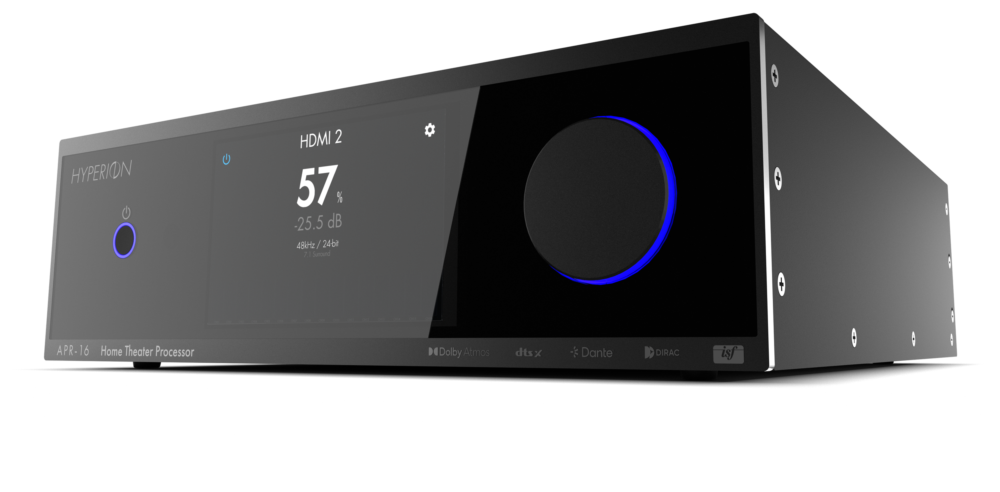
This can be accomplished by selecting more expensive display monitors with commensurately better on-board processing, but is often easier and more effectively provided by the installation of an outboard box designed for just that very a purpose.
If the aforementioned panel has a native resolution of, say, 1366 x 768, that is the only resolution your clients will truly see.
After all, that's all the panel is capable of displaying -- not one line less, not one line more.
There are several types of de-interlacing and scaling technologies that can be applied to the flat panels you install.
You can opt for more expensive displays with built-in processing or choose to employ separate processors or scalers. Outboard scalers can often double as switchers, opening the door for you to sell multiroom video.
If you have not addressed the growing consumer awareness of video artifacts, here's your opportunity.
'Processing' the Flat Panel Evolution
From the beginning, when Henry Kloss plugged the audio output of his 6-foot parabolic screen TV (Novabeam One) into his stereo system, people have wanted big screen and big sound.
Somewhere in the late eighties, we started calling it Home Theater.
Initially reserved for only the rich and famous, a "decent" Home Theater featured a box on the ceiling, housing three 9-inch CRTs and weighing in at just a tick this side of a Chrysler LeBaron.
The only thing harder than finding a consumer who could afford a home theater was finding someone qualified to install it.
If you have any gray hair, you may fondly recall the two-day install process and the 128-point convergence grid that you had to revisit every six months or so.
The old behemoths made pretty pictures when they were "right," but, all things considered, most installer's have laid CRT technology to rest in peace.
Today, we live in a nearly all-digital, fixed-pixel world. We can worry about misaligned panels and chromatic aberration in the lens, but the days of spending hours trying to get red, green and blue to line up are over.
Alas, though, we have new demons (and some here-to-fore hidden leftover demons) rearing their heads.
It may be a bit ironic that the very thing that gets people to open up their wallets nowadays (big screens) brings with it a new nemesis -- one that's been with us all along, but now makes its presence felt logarithmically with screen size: video artifacts.
Video artifacts are anything in the picture that was not there in the source. Video artifacts (and quest for their abolition) were the reason the Imaging Science Foundation was formed, the reason Ives Faroudja was able to sell his company for $40 million and the reason that Anchor Bay bought back DVDO.
If installers want their installations to "stick" and breed referral business going forward, it is incumbent on them to minimize, if not remove, as many video artifacts as they can prior to handing over the remote.
Enter precision video processing.
To be clear, there are many flavors of video processing. Most integrators are probably familiar with de-interlacing and scaling, but there are several kinds (i.e., motion, edge and source adaptive deinterlacing) and other kinds of processing too, such as gamma correction, cadence detection and matching, as well as several types of noise reduction techniques … and they're all aimed at artifact reduction or elimination.
While you don't need to be an expert in all manners of video processing, you do need to be able to provide a greater degree of video processing for your clients when necessary. That means understanding how to improve the image quality of the $1,500 LCD panel you mounted last week.
This can be accomplished by selecting more expensive display monitors with commensurately better on-board processing, but is often easier and more effectively provided by the installation of an outboard box designed for just that very a purpose.
Handling the Artifacts Issue
If the aforementioned panel has a native resolution of, say, 1366 x 768, that is the only resolution your clients will truly see.
After all, that's all the panel is capable of displaying -- not one line less, not one line more.
Subscribe to the CE Pro Newsletter
Read more Processors stories
Cary Audio to Sell Direct to Geographically Remote ConsumersDVDO Unveils Slate of Processing, Connectivity Products
Integra Unveils Networked AVRs, Processors
Extron Acquires Products Division of Electrosonic
Crestron Readies High-End 7.3 Procise Processor with 400 Watts Per Channel
More in Processors


Post a comment