5 Reasons iPads Are Horrible Home Theater Remotes
He recently shared with his clients via DSI's blog five reasons why he hates the iPad as a remote.
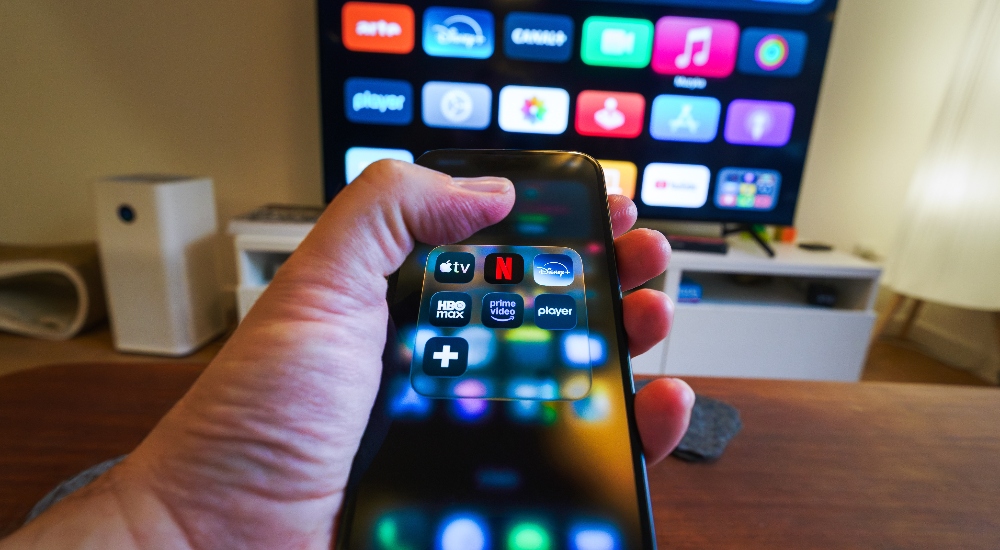
Too big: The iPad is just the right size for a table, but it's too unwieldy to be a practical remote control. If you are a power user, maybe you need all of this screen real estate to cover every single DVR button. For me, unnecessary.
I need hard buttons: I hate having to look down at a screen to find a volume button or the down arrow. It is just too slow. I surf my DVR by braille. I know exactly where all of the common buttons are so I can quickly navigate through my 25 episodes of "Storage Wars". This appeals to my ADD personality.
It's never there! Too often the iPad gets absconded by my 8-year-old daughter. It seems that whenever I have an urgent need to watch "The Real Housewives of Beverly Hills," my iPad is hiding under a Barbie dream house or is shoved in the bottom of a sleeping bag ... with no battery life.
Mute! Back to my ADHD issue ... I can never seem to leave well enough alone. If I can multi-task, by God I will do it regardless of the circumstances. You want to see someone who can read a book while brushing their teeth, while listening to music, while urinating? You found your guy.
So how can I just let this powerful machine only serve as a clicker? Every time that annoyingly loud commercial comes on and I am unable to turn the volume down or mute (because I am buried in e-mails and don't have my control app open), my wife shoots me a look that screams divorce court. The iPad is wonderfully robust but sometimes you just need an instantly available mute button to save your marriage.
Longevity: I don't know about you, but my family drops a lot of remotes. Remote controls take an enormous amount of abuse in my household. Our iPad has had its fair share of spills which, knock on wood, have not affected it. I can't imagine my luck will continue.
All of the above points assume you are using a centralized control app/control system such as Crestron, AMX, Control4, Savant, RTI, among others. If you aren't using such a centralized app, the situation gets worse as you will have to bounce between different apps to control your DVR, your TV, your surround sound system, etc. Without a control system app, the iPad is just too inconvenient to consider to be a viable main remote control.
So if you are planning on going "iPad only" for your main home theater / media room remote control or home automation system, I would suggest you look at some of the hand-held remote offerings by the guys at Crestron, Control 4, AMX, Savant, RTI or URC. There is something to be said for a purpose-built device that is uniquely designed for a specific task.
We often do set up our client's iPads to control their audio video and home automation systems, but ideally as an auxiliary remote control device, not as the main one.
Subscribe to the CE Pro Newsletter
Article Topics
Blogs · Home Automation and Control · Control Systems · Home Theater · Ipad · Apple ·About the Author

14 Comments (displayed in order by date/time)
This is very subjective. As a Crestron dealer, I have clients who prefer the IPad over a typical remote. The reason is that you can fit alot more on an IPad screen. I also have customers who prefer a regular remote. It would be interesting to see some stats on this subject.
kfreeman-
I think you may have missed the point of the article.
Our clients love the iPad and we do indeed give them what they want and program their iPad to control their TV.
But what we have found is that after using the iPad for a period of time, they long to have their “clicker” back. They value the concept of a purpose-built device. My iPad can be a flashlight, but it is the worst flashlight I own. Convenient, but not great.
I argue that a “clicker” is a way better TV control than an iPad. Not as sexy or robust, but really functional. Give them their iPad control… but also give them a nice hand-held remote.
I think the point was about using it as a TV or movie surfing remote control. In which case, I agree. A hard button remote is much, much better. We often have a touchscreen (or iPad) in a bedroom or TV room for whole house control. But, we compliment it with a small simplified hard button remote used for TV watching. As Eric said to “surf by braile”. A control system app on the iPad is great when using the iPad for reading, web browsing, games, etc. Many times, when I find myself using the iPad for iPad things, if I am a little cold, it gets dark, or I want to check the house cams - I can quickly flip over to the Crestron app and make adjustments to the lights, temp or other things. This is where I think the iPad and control system blend perfectly. But as a TV remote control…..not a good idea.
You missed the fundamental flaw of the iPad, its a WiFi device. That is why it, or any other wifi remote control, is a bad experience for the end user, imho (TPMC8X anyone). Because all of the sources clients listen to and watch have, and are, migrating to the iPad we have been very successful in positioninig the iPad and iPhone as a wireless SOURCE not a remote. That leaves the need for a good handheld remote and/or touchpanel. Most of our clients understand and already embrace this concept and are much more willing to purchase dedicated remotes than they were a couple years ago when everyone demanded that their iPhone be the remote control.
Yes an iPad makes for a great “master” remote for the main system user or when you are changing up the regular routine by doing those only once in a great while task, but a simple purpose built devise with the regular commonly used buttons will be most convenient for a vast majority of the day to day users. I prefer to give my customers all three types of remotes, the OEM hand units, the simple to use purpose built combo remote and the iPad “master” all functioning. This makes all users happy campers and cuts down on revisiting the customer’s house to explain or reprogram the iPad when Grandma starts to get frustrated and presses everything.
I have numerous clients that love using their tablet or ipad as a remote. Even the iphone and droid phone. They seem to track these items more closly than the remote. No putting the ipad down to pick up the remote? Less clutter? More elegant? Ohh and don’t forget to start your car… ?
It is tough to justify a $1000 remote even if is has the weather or an rss reader on it versus, oh you already have 6 ipads?
Just my experience.
Happy Holidays!
Again I will restate. While in some cases a customer may prefer a dedicated remote the majority want the ipad/iphone to control their system. I think most of you are refering to apps you may have used in the past and your experiences.
We are simply biased towards selling the hardware and pitching the features and benefits.
For a family room or media room system there are apps that run circles around any dedicated remote currently in use at lower prices to the client including the purchase of a secondary ipad or ipod.
Regarding the comment about wifi if you are referring to wake up time that is essentially nil and most of the apps I use dont allow the ipad to go to standby anyway so it is always connected.
Regarding wifi reliability again there are issues here and there but less than RF and IR based remotes.
Is an actual keyboard better for typing and surfing the internet? Of course it is but it does not seem to matter to the vast majority of users with a tablet or smartphone.
I will put it another way.
Option 1: I tell a client it will cost $250-$500 to setup their ipad to control their system with 2 way feedback, unlimited macros (activities) with icons, unlimited rooms, customized to their guide data with program information, ability to pull up all remotes for every device if needed and ability to copy the remote to every ios device they have.
Option 2: A MX-880 (or equivalent) with an RF base for $750 installed and try and explain the operation of that device to the client.
Which do you think they will they like better and which one will generate the most excietment with the client?
kfreeman I have to totally disgree with you that there are less issues with Wifi than with other RF based remotes. I have been integrating high end systems (100-500K) for 30 years and there is nothing better than a Crestron wireless touchpanel or remote with its own dedicated gateway that is not effected by other IP traffic like most clients have on their WiFi networks. Its not wake up time but the ability for a WiFi device to drop the network or lockup often enough to make it an issue. Anyone who has used an iDevice can attest to this problem. I use both devices personally and the iPad needs to be reset sometimes, but the Crestron has never locked up or needed to be reset. If you are comparing MX-800 level product to the iPad and WiFi then from your perspective you may be right. But from my point of view, and the majority of my clients, the iPad is an inferior device as a remote control.
Greg -
I qualified my statement what the majority of customers want not customers having 250k systems installed.
Regarding wifi dropoff that is almost always a router config problem such as changing the wireless security Group Key Update Interval to its maximum value. I may have one drop off per month with my ipad2 and I have maybe one or two client calls a month with an issue. Compared to service calls on URC, Control 4, RTI and Crestron remotes that is essentially a non issue for me.
Again if the client wants to pay the markup for something that addresses a less than 1% problem in my eyes more power to them.
For most people that agruement doesn’t even enter the conversation.
Lastly I was addressing most of my commentary to the article which clearly indicates usage of the ipad as a more basic system (compared to a 500k) remote.
Most of these issues have been addressed by On Controls.
The offer assigning commands to gestures. At my house, when I want to fast forward on my DVR, I just take two fingers to the screen and swipe to the right. When I want to play, I double tap the screen. I can do this all without looking at the iPad.
The also offer embedded URLs. This allows you to surf the web inside of their control app. So while I am on GMail reading my emails, and a loud commercial comes on, the Volume Buttons are always there, so I don’t have to exit my email to change the volume. This is Laos great for surfing while watching TV.
On Controls also offers iPhone/iPod touch integration. This allos you to use your touch or phone to control the same system. Also, the iPad two weighs as much as any Crestron, RTI, or URC touchscreen. Plus it is not a uni-tasker.
The other nice thing about the On COntrols App, is the ability for the customer to change devices very easily. If they drop their iPad on a Saturday night, they can run up to Walmart, buy a new iPad, download the On COntrols App, input their login and password in the app, then sync. This allows the customer to get back up and running very easily. Also, with how often customers are changing their iDevices, it’s nice that it is very easy to get the programming onto a new device.
I have now done over 10 On Controls projects and I have been completely blown away with how their system works. It is now my goto controls system. Oh, and we can also make money doing iPad/iPhone control when using On Controls.
I just don’t get this debate about what should be “The” remote. When the industry has agreeable semantics, any and all vias will be viable at the same time. And they will all work without requiring consulting fees to set them up.
While everyone in the CI industry can debate what they THINK CUSTOMERS WANT nobody can argue with facts…...
The straws to grasp are fewer and shorter than ever…...
Ask Bob Dylan he even knows the times are a changing.
How many clients have mastered using the iPad with one hand while laying on the couch or kicking back in a recliner without having to look at the screen?
A Captain Kirk cool way to control any home theater but from a shear practicality stand point Mr. and Ms. Smith want convenience as much as they want cool.


Everytime I hear these arguments I feel like our industry is grasping at strings. It feels like self justifying our own biased position. MP3’s sound worse than CD’s but customers wanted to use them. Customers want to use their ipads. They understand the interface and contrary to this article are actually generally using them while watching tv.
Lets handle the objections.
Too big: If you ask owners of the Ipad if when using it if it is too big the vast majority will say no. So not sure how this follows thru to using it as a remote. If anything when using it to browse guide data and as a remote the size makes it better when using an app that allows this.
Hard Buttons: Again ask the customer if they like using their ipad which has zero hard buttons. Obviously they will say yes. Futhermore if you were to ask a customer what interface they like better between their ipad or a cable box remote I don’t think more than 5% would say they like using their cable remote more than their ipad. In addition some remote apps have guide data built in which makes browsing easier and quicker.
Never there: Umm you could say the same thing about traditional remotes. In general studies show customers typically are using their ipad while watching tv.
Mute: Dont follow. Very easy to find the mute button. On the ipad I can have it on any page I want at any location. Never had this problem.
Longevity: Again a non issue. Put a case on it.
Obviously this article doesnt point out the benefits of using th eipad however for most customers you don’t need benefits. They simply want to use their ipads as a remote. Listen and give it to them. Its simple!